New

The WPforOps Manifesto. Why WordPress can run more of your organisation than you think.

Read it
  1. Home
  2. Where we work
  3. Sweden
  4. Business email, Sweden

Business email, Sweden

Business email on your .se domain, set up to be delivered

We set up professional email for Swedish organisations on Google Workspace, Microsoft 365 or Zoho, using your own domain. Authentication records, website email and migrations are handled so messages arrive and are trusted.

Currency
Swedish krona (SEK)
Payments
Swish, Klarna, Cards via Stripe
Data protection
EU General Data Protection Regulation (GDPR) and the Swedish Data Protection Act (2018:218)
Time zone
UTC+1 (CET) / UTC+2 (CEST), 0 to 1 hour ahead of Lagos
Overview

Business Email for organisations in Sweden.

An address at your own domain looks professional, but only if the email actually reaches people. Without SPF, DKIM and DMARC, messages land in spam or are rejected outright, and anyone can send email that appears to come from you. Website forms that send through the web server suffer the same problems.

Email setup is part of our Managed Services, under domain and email, and is often included when we launch or host a site. We configure it in your organisation's name, so you keep control.

In detail

Business Email in Sweden, in detail.

01

Choosing a provider

Google Workspace, Microsoft 365 and Zoho all offer business email with calendars and file sharing, billed per user by the provider. The right choice depends on the tools your team already uses, whether you need desktop Office applications and your budget. We explain the trade-offs plainly and do not resell licences at a mark-up; you pay the provider directly. Each provider publishes how it handles data, which your data protection lead can review against your GDPR obligations.

02

SPF, DKIM and DMARC done properly

These three records tell receiving servers which systems may send email for your domain and let them check messages were not altered. We publish SPF for every legitimate sender, enable DKIM signing with your provider, and start DMARC in monitoring mode before tightening it to quarantine and then reject once reports show everything legitimate passes. That protects your customers from emails that pretend to come from you.

03

Domains with å, ä or ö

A .se domain can include Swedish letters, but email systems do not handle such domains reliably. If your organisation's name includes å, ä or ö, the common advice is to register the plain spelling as well, point both to the same website, and use the plain version for every email address. We set that up so customers can type either and still reach you.

04

Website email that arrives

Contact forms, order confirmations and password resets are often sent by the web server itself, which receiving servers distrust. We route WordPress email through an authenticated sending service or your email provider, so WooCommerce receipts, Swish and Klarna order confirmations and form notifications reach inboxes. Delivery is logged, so missing messages can be traced. We test each type of message before launch, from a simple contact form to a refund notice, and check how it looks in common mail apps.

05

Moving mailboxes without losing mail

If you are moving from a Swedish webbhotell's mail service or another provider, we copy existing mail, contacts and calendars where the source allows, lower DNS lifetimes ahead of the switch and change records at a quiet time. Staff keep working in the old mailbox until the new one is ready, and nothing is cancelled until we confirm delivery is working.

What email setup includes

What email setup includes.

Strategy & Design from $1,500 · Development from $5,000 · Managed Services from $2,000 per year. See pricing

  • Provider recommendation for your team
  • Mailboxes, aliases and shared inboxes on your domain
  • SPF, DKIM and DMARC configured and monitored
  • Plain-spelling domain for names with å, ä or ö
  • WordPress and WooCommerce email routed for delivery
  • Mailbox migration from your current provider
  • Accounts registered in your organisation's name
  • Short guide for staff on the new setup
Our work

Platforms we have built.

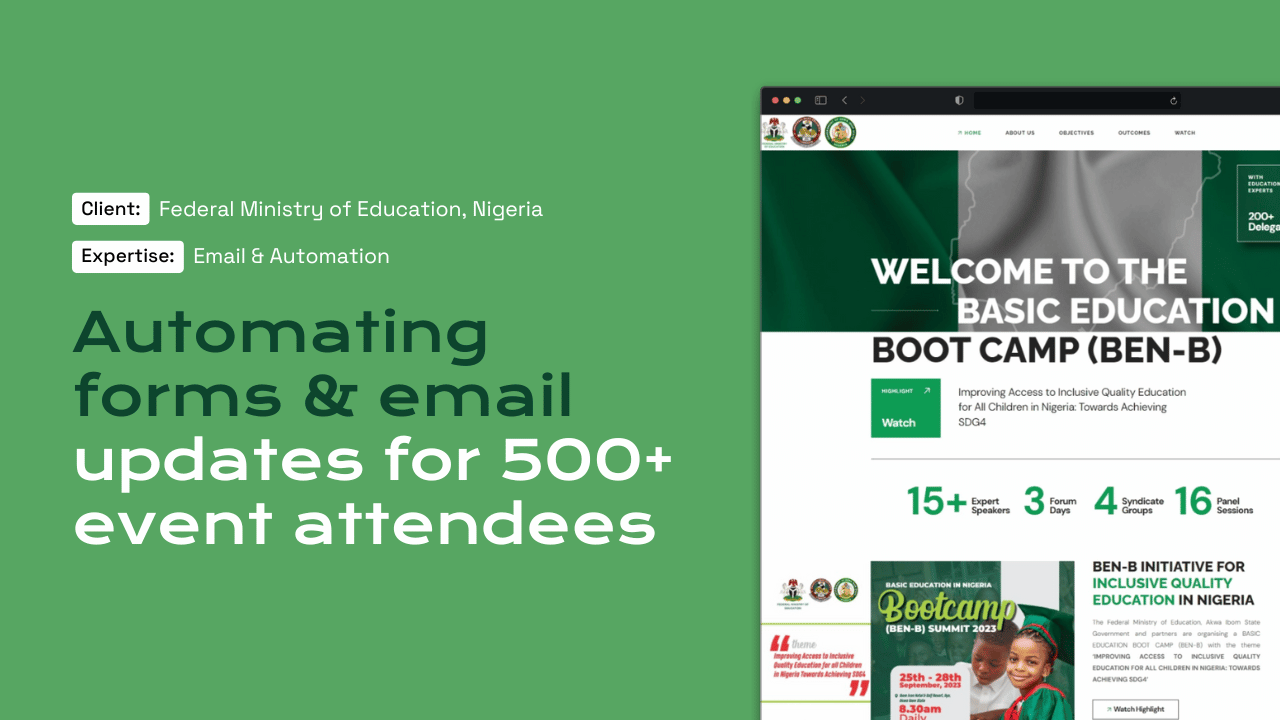
The boot camp registration system we built for the Federal Ministry of Education with PLANE-FCDO sent automated email updates to attendees, and BFI School relies on dependable email for enrolments and certificates.

Questions

Frequently asked questions

Which provider do you recommend for a Swedish company?

It depends on how your team works. If staff live in Word and Excel, Microsoft 365 is a natural fit. Teams that work in a browser often prefer Google Workspace. Zoho suits smaller budgets. We explain the differences and you choose.

Why do our emails go to spam?

Usually because SPF, DKIM or DMARC are missing or wrong, or because the website sends mail from a server that is not authorised. We check your records, fix them and route website email properly, then monitor DMARC reports to confirm improvement.

Can we use an email address with å, ä or ö?

Technically possible, but unreliable, as many email systems do not handle such domains well. We recommend a plain-spelling domain for email addresses, while your website can still be reached at both versions. Customers who type either spelling will find you.

Will we lose email during the move?

No, if the switch is planned. We copy existing mail first, change DNS at a quiet time and keep the old service running until new mail is arriving correctly. Staff are told exactly when to start using the new mailbox.

What does business email setup cost?

Setup is part of Managed Services, from $2,000 per year, and is often included with hosting. Mailbox licences are paid directly to Google, Microsoft or Zoho at their own rates, so you always see exactly what each provider charges.

Start a project

Tell us what you need WordPress to do.

A new website, a redesign, a client portal, a booking system, or a move from another platform. Tell us what you need and we will tell you how WordPress can carry it.

What happens next

  1. 01
    Introductory callUnderstanding the project, the organisation, and the brief.
  2. 02
    Discovery questionnaireThe detail we need before designing anything.
  3. 03
    Scope agreementDeliverables, timeline, and investment confirmed in writing.
See how a project runs