New

The WPforOps Manifesto. Why WordPress can run more of your organisation than you think.

Read it
  1. Home
  2. Where we work
  3. United States
  4. Maintenance · United States

Maintenance · United States

WordPress maintenance and support for US websites

We keep American WordPress sites updated, backed up and secure, with changes tested on staging first. Because our day starts before yours, routine work is often done before your team logs on.

Currency
United States dollar (USD)
Payments
Stripe, PayPal, WooPayments
Data protection
No single federal law; state laws led by the California Consumer Privacy Act (CCPA), as amended by the CPRA
Time zone
UTC-5 (UTC-4 in summer), 5 to 6 hours behind Lagos (Eastern Time)
Overview

Website Maintenance for organisations in the United States.

A WordPress site is never finished. Core, themes and plugins release updates constantly, payment gateways change their APIs, and browsers change their behaviour. Left alone, a site drifts into risk: an outdated plugin becomes a security hole, a checkout breaks after a gateway change, or an accessibility fix quietly gets undone by a theme update.

Our maintenance service is a managed routine rather than a ticket queue. We update on staging, test the paths that matter to your business, then deploy, and we keep a record of everything we change.

In detail

Website Maintenance in the United States, in detail.

01

Updates while US offices are closed

Being five to six hours ahead of US Eastern Time is useful for maintenance. Our working morning is the middle of the night across the United States, which is when traffic is lowest and a short deployment window affects the fewest visitors. We schedule routine updates in that window, test on staging first, and confirm in writing what changed. If something needs your decision, it is waiting in your inbox when you start work.

02

Keeping payments and checkout working

Payment plugins deserve extra care. Stripe, PayPal and WooPayments update their integrations regularly, and a missed update can break checkout or webhooks without obvious errors. After every relevant update we run test transactions, check that order statuses and emails still fire, and confirm that ACH or subscription renewals process as expected. For stores, a broken checkout is the most expensive kind of downtime, so we treat it that way.

03

Staying accessible and privacy-ready

Accessibility can regress silently when a plugin changes its markup or a new page uses an image without alt text. As part of maintenance we run periodic automated accessibility checks and spot-check key templates by hand against WCAG 2.1 AA. On privacy, we confirm that consent tools still block scripts until visitors agree where required, and that opt-out links and Global Privacy Control handling still work after updates. State privacy laws keep changing, so we flag changes your counsel may want to review.

04

Security, backups and recovery

We monitor for malware and suspicious logins, keep a web application firewall in place where your host supports it, and enforce strong passwords and two-factor authentication for administrators. Backups run daily and are stored away from the server, and we test restoring them, because an untested backup is only a hope. If something goes wrong, we restore, find the cause and explain what happened in plain language.

05

What maintenance costs

Maintenance sits within our Managed Services, which start from $2,000 per year in US dollars. The plan can include hosting through our partners Cloudways or Hostinger, or we can maintain the site on hosting you already have. We agree the scope in writing: update frequency, monitoring, an allowance for small changes, and how urgent issues are raised. Plans renew yearly, and you can change the scope at renewal as the site grows.

What our maintenance covers

What our maintenance covers.

Strategy & Design from $1,500 · Development from $5,000 · Managed Services from $2,000 per year. See pricing

  • Core, theme and plugin updates tested on staging
  • Updates deployed in low-traffic US night hours
  • Test transactions after payment plugin updates
  • Daily off-site backups with tested restores
  • Malware monitoring and administrator two-factor login
  • Periodic WCAG 2.1 AA spot checks
  • Consent and opt-out tools checked after updates
  • Written log of every change we make
Our work

Platforms we have built.

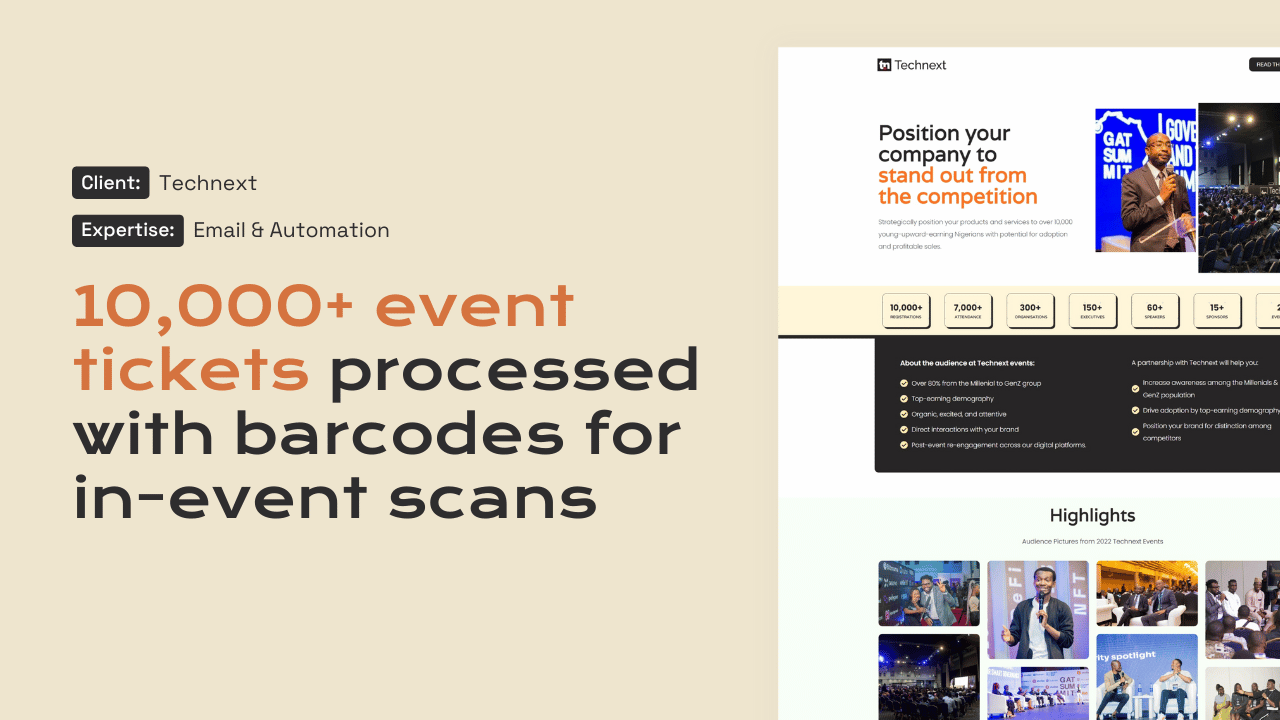
These platforms show the kind of work a maintenance routine has to protect: BFI School, built for US company BFI Insights LLC, and the Technext ticketing platform.

Questions

Frequently asked questions

When do you carry out updates for US sites?

Usually during our morning, which falls overnight across the United States. That keeps disruption low. Larger changes are scheduled with you in advance, and urgent security patches are applied as soon as they are tested, with a note explaining why.

Can you maintain a site we did not build?

Yes. We start with an audit of the theme, plugins, hosting and backups, and fix anything risky before the routine begins. If the audit finds deeper problems, such as abandoned plugins or custom code with no documentation, we tell you and quote separately for the fix.

Do you guarantee uptime?

We do not promise uptime figures, because they depend on hosting and factors outside our control. What we do is monitor the site, respond to problems quickly, keep tested backups and explain what happened after any incident. If we host the site through Managed Services, we manage the host relationship too.

How do we request changes or report problems?

Through a shared support channel agreed at the start, with a clear way to flag urgent issues. Small content or layout changes come from the allowance in your plan. Larger work is quoted separately so your maintenance budget stays predictable.

What does WordPress maintenance cost?

Our Managed Services start from $2,000 per year, priced in US dollars. The exact plan depends on the size of the site, whether we host it and how much change allowance you need, and it is agreed in writing.

Start a project

Tell us what you need WordPress to do.

A new website, a redesign, a client portal, a booking system, or a move from another platform. Tell us what you need and we will tell you how WordPress can carry it.

What happens next

  1. 01
    Introductory callUnderstanding the project, the organisation, and the brief.
  2. 02
    Discovery questionnaireThe detail we need before designing anything.
  3. 03
    Scope agreementDeliverables, timeline, and investment confirmed in writing.
See how a project runs