New

The WPforOps Manifesto. Why WordPress can run more of your organisation than you think.

Read it
  1. Home
  2. Where we work
  3. Canada
  4. Business email · Canada

Business email · Canada

Business email on your Canadian domain, set up properly

We set up professional email on your .ca or .com domain with Google Workspace, Microsoft 365 or Zoho Mail, and configure the records that keep it out of spam folders and harder to impersonate.

Currency
Canadian dollar (CAD)
Payments
Stripe, PayPal, Moneris
Data protection
Personal Information Protection and Electronic Documents Act (PIPEDA)
Time zone
UTC-5 (UTC-4 in summer), 5 to 6 hours behind Lagos (Eastern Time)
Overview

Business Email for organisations in Canada.

An address on your own domain tells customers they are dealing with an established organisation. It also makes you a target: business email compromise, where criminals impersonate a company to redirect payments, relies on domains with weak authentication.

We handle the technical side: choosing the provider, moving mailboxes, setting DNS records and making sure your website's own messages, such as order confirmations and form notifications, arrive reliably.

In detail

Business Email in Canada, in detail.

01

Choosing a provider

Google Workspace, Microsoft 365 and Zoho Mail all provide reliable email on your domain, with differences in price, collaboration tools and where data is stored. Some Canadian organisations prefer a provider that offers data residency options in Canada; we check what each offers for your plan. We recommend based on how your team works, not on commission. Shared mailboxes and aliases are planned at the same time.

02

SPF, DKIM and DMARC

These three DNS records tell receiving servers which systems may send mail for your domain and whether a message has been altered. Together they make spoofing much harder and improve delivery. We set them for your mail provider, your website and any marketing platform, then move DMARC from monitoring to enforcement once reports confirm legitimate mail passes. You receive a plain record of every value.

03

Email from your website

WordPress sends order receipts, password resets and form notifications. Left on default settings, many of those land in spam. We route website mail through an authenticated sending service so it is signed for your domain, and test each message type, including WooCommerce order emails in English and French where your store is bilingual. Failures trigger an alert rather than going unnoticed.

04

Newsletters within CASL

Canada's Anti-Spam Legislation requires consent before you send commercial electronic messages, an unsubscribe mechanism that costs nothing and remains valid for at least 60 days, and opt-outs honoured within 10 business days. We build sign-up forms that record consent clearly, connect them to your email platform and make sure every campaign template carries your identification and unsubscribe link.

05

Migration and cost

Moving from another provider or an old host's mailboxes is planned so mail keeps flowing: we copy existing messages, switch DNS at a quiet time and check delivery afterwards. Email set-up sits within Managed Services, from $2,000 per year in US dollars, or within a website project. Provider licences are billed by Google, Microsoft or Zoho directly, per user.

What our business email set-up includes

What our business email set-up includes.

Strategy & Design from $1,500 · Development from $5,000 · Managed Services from $2,000 per year. See pricing

  • Provider recommendation for your team
  • Mailboxes and aliases on your domain
  • SPF, DKIM and DMARC records
  • Authenticated sending for website email
  • Mailbox migration from your old provider
  • CASL-ready sign-up forms and templates
  • Delivery testing across major inboxes
  • Written record of DNS settings
Our work

Platforms we have built.

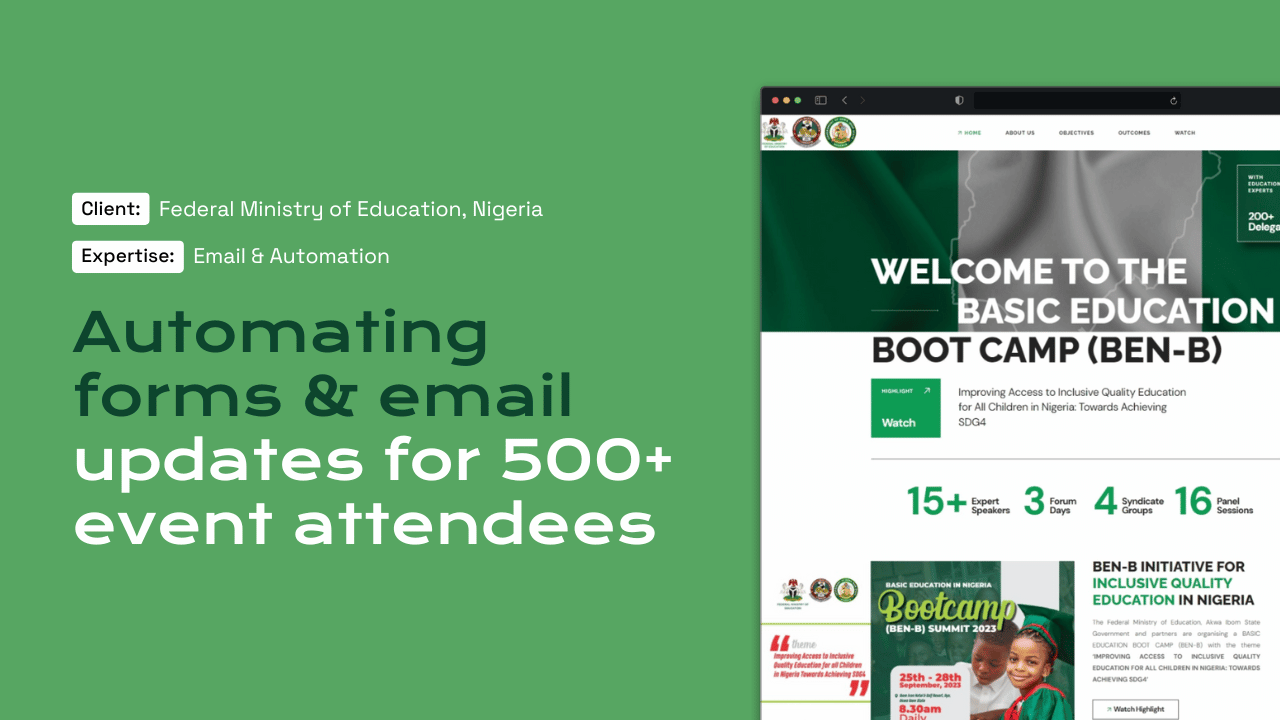
For the Federal Ministry of Education boot camp, our team set up automated attendee email updates that had to arrive reliably at scale.

Questions

Frequently asked questions

Which business email provider is suitable in Canada?

Google Workspace, Microsoft 365 and Zoho Mail all work well. The choice depends on the tools your team already uses, budget per user and any data residency preferences. We compare them against your needs before recommending one. We also check whether any of your contracts or policies set requirements for where email data must be stored.

What are SPF, DKIM and DMARC?

They are DNS records that prove which servers may send mail for your domain and that messages have not been altered. They improve delivery and make it harder for criminals to impersonate your organisation. We start DMARC in monitoring mode, read the reports, then tighten it once legitimate mail passes.

How does CASL affect our newsletters?

You need consent before sending commercial messages, a free unsubscribe option that stays valid for at least 60 days, and opt-outs honoured within 10 business days. We build sign-up forms and templates that support those requirements. Consent records are kept so you can show how each address joined your list.

Why do our website emails go to spam?

Usually because WordPress is sending mail that is not authenticated for your domain. We route it through a proper sending service with SPF and DKIM, then test every message type. We also check the sending address, reply-to settings and template formatting, which all affect how inbox providers treat the message.

Can you move our existing mailboxes?

Yes. We copy existing messages, folders and contacts where the old provider allows, switch DNS during quiet hours and confirm mail is flowing before closing the old account. Staff are told in advance what to expect, and we stay on hand to fix any device that needs reconfiguring after the switch.

Can you help protect us from business email compromise?

We reduce the risk by enforcing SPF, DKIM and DMARC so criminals find it harder to send mail that looks like yours, and by turning on two-factor sign-in for every mailbox. We also recommend a simple rule for your finance team: confirm any change to payment details by phone. Technology helps, but process matters just as much.

Start a project

Tell us what you need WordPress to do.

A new website, a redesign, a client portal, a booking system, or a move from another platform. Tell us what you need and we will tell you how WordPress can carry it.

What happens next

  1. 01
    Introductory callUnderstanding the project, the organisation, and the brief.
  2. 02
    Discovery questionnaireThe detail we need before designing anything.
  3. 03
    Scope agreementDeliverables, timeline, and investment confirmed in writing.
See how a project runs