New

The WPforOps Manifesto. Why WordPress can run more of your organisation than you think.

Read it
  1. Home
  2. Where we work
  3. South Africa
  4. Business email

Business email

Business email for South African organisations, set up properly

A [email protected] address tells customers you are established. We set up Google Workspace, Microsoft 365 or Zoho Mail on your domain, with the records that keep your messages out of spam and protect against impersonation.

Currency
South African rand (ZAR)
Payments
Payfast, Ozow, Peach Payments
Data protection
Protection of Personal Information Act 4 of 2013 (POPIA)
Time zone
UTC+2, 1 hour ahead of Lagos
Overview

Business Email for organisations in South Africa.

Plenty of South African businesses still trade from free webmail addresses, or from mailboxes bundled with a cheap hosting plan that nobody has configured properly. The result is lost enquiries, invoices landing in spam and an easy target for criminals who impersonate your domain.

We set up professional email as part of our Managed Services, alongside your domain and website, so the three work together. You choose the provider; we handle the configuration and the migration.

In detail

Business Email in South Africa, in detail.

01

Choosing Google, Microsoft or Zoho

Google Workspace suits teams that already live in Gmail, Docs and Meet. Microsoft 365 fits organisations built around Outlook, Word and Excel, and often already licensed for Office. Zoho Mail is a lighter option some smaller teams prefer. Each is billed by the provider per user, and each publishes its own plans and prices. We talk through how your team works, which tools you already pay for, and then set up the one that fits.

02

SPF, DKIM and DMARC on your .co.za domain

Three DNS records decide whether your email is trusted. SPF lists which servers may send mail for your domain. DKIM signs each message so receivers can check it was not altered. DMARC tells receivers what to do with mail that fails those checks and sends you reports. We set all three, start DMARC in monitoring mode, review the reports and tighten the policy once every legitimate sender, such as your accounting software or newsletter tool, is covered.

03

Defending against business email compromise

Business email compromise, where criminals impersonate a supplier or director to redirect payments, is a real concern for South African firms. A strict DMARC policy stops others sending mail that claims to be from your exact domain. We also turn on two-step verification for every mailbox, review forwarding rules that attackers like to hide, and show staff how to check a sender before acting on changed banking details. If a mailbox is compromised, POPIA section 22 may require you to notify the Information Regulator, so we keep sign-in logs available.

04

Website email that actually arrives

WordPress sends contact form notifications, order confirmations and password resets. By default it often sends them from the web server, which many inboxes treat as suspicious. We route website mail through an authenticated sending service on your domain, so WooCommerce receipts and enquiry alerts arrive reliably. Contact forms are set up so they do not email sensitive personal information in plain text, which keeps POPIA risk down.

05

Moving mailboxes without losing mail

If you are leaving a hosting company's mail server or switching between providers, we migrate existing messages, contacts and calendars, then change the MX records at a quiet time. Old and new mailboxes overlap briefly so nothing is lost in transit. Your .co.za domain stays registered in your name throughout, and we document every DNS record so your next IT provider can see exactly what is in place.

What our business email setup includes

What our business email setup includes.

Strategy & Design from $1,500 · Development from $5,000 · Managed Services from $2,000 per year. See pricing

  • Advice on Google Workspace, Microsoft 365 or Zoho Mail
  • Mailboxes, aliases and shared inboxes on your .co.za domain
  • SPF, DKIM and DMARC records with report monitoring
  • Two-step verification for every user
  • Authenticated sending for WordPress and WooCommerce emails
  • Migration of existing mail, contacts and calendars
  • Review of forwarding rules and admin access
  • Written record of all DNS settings
Our work

Platforms we have built.

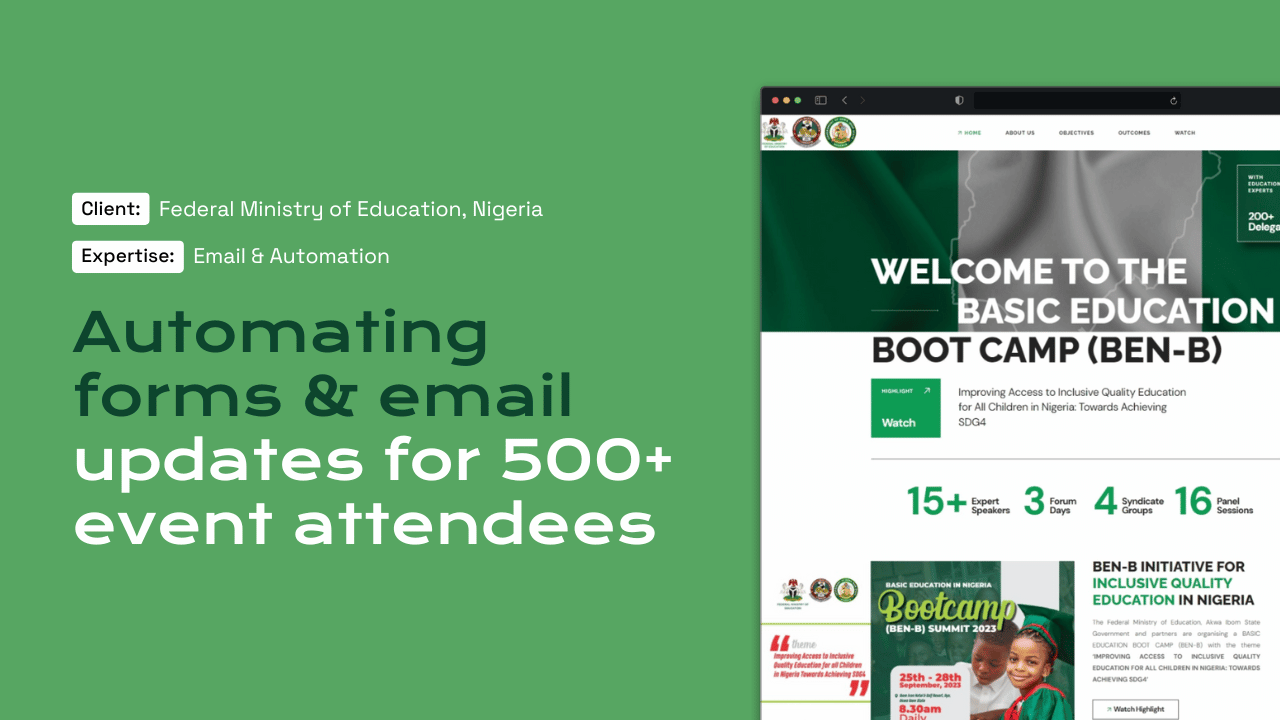
For the Federal Ministry of Education boot camp with PLANE-FCDO we built automated attendee email updates, and BFI School relies on transactional email for enrolments and certificates.

Questions

Frequently asked questions

How do I create a business email address in South Africa?

You need a domain, such as a .co.za name registered to your organisation, and an email provider such as Google Workspace, Microsoft 365 or Zoho Mail. The provider gives you DNS records to add to the domain. We handle the full setup, including the authentication records most quick guides leave out.

Is free business email a good idea?

Free mailboxes bundled with some hosting plans can work, but they often lack proper spam filtering, storage, two-step verification and authentication. If your site and email share one server, a website problem can take mail down too. For most organisations a dedicated provider is more dependable.

Why are our emails going to spam?

Usually because SPF, DKIM or DMARC are missing or misconfigured, or because the website sends mail from an unauthenticated server. We check your DNS, test messages against major inboxes and fix the records, then monitor DMARC reports to confirm the problem is gone.

Do you pay for the email licences?

Licences are billed by Google, Microsoft or Zoho directly to your organisation, so you keep control of the account. Our setup and ongoing management sit within Managed Services, starting from $2,000 per year, which also cover your domain, hosting and website care.

Can you help if a mailbox has been hacked?

Yes. We reset access, remove malicious forwarding rules, enforce two-step verification and review sign-in logs to see what was accessed. We share those findings with you so your Information Officer can decide whether POPIA requires notifying the Information Regulator and the people affected.

Start a project

Tell us what you need WordPress to do.

A new website, a redesign, a client portal, a booking system, or a move from another platform. Tell us what you need and we will tell you how WordPress can carry it.

What happens next

  1. 01
    Introductory callUnderstanding the project, the organisation, and the brief.
  2. 02
    Discovery questionnaireThe detail we need before designing anything.
  3. 03
    Scope agreementDeliverables, timeline, and investment confirmed in writing.
See how a project runs