



New

The WPforOps Manifesto. Why WordPress can run more of your organisation than you think.

Read it
  1. Home
  2. Plugins
  3. WPFlat Files
Free and open source · by WPFlat

WPFlat Files: a File Explorer-style file manager for WordPress.

A file manager that looks and works like File Explorer, for your team in the app and for your users on the front end, with folders, versions, previews, share links and access per folder. A free, open-source module for WPFlat Core.

Version 0.4.1 · GPL-2.0-or-later · WordPress 6.0+ · PHP 7.4+ · needs WPFlat Core 0.6.0+

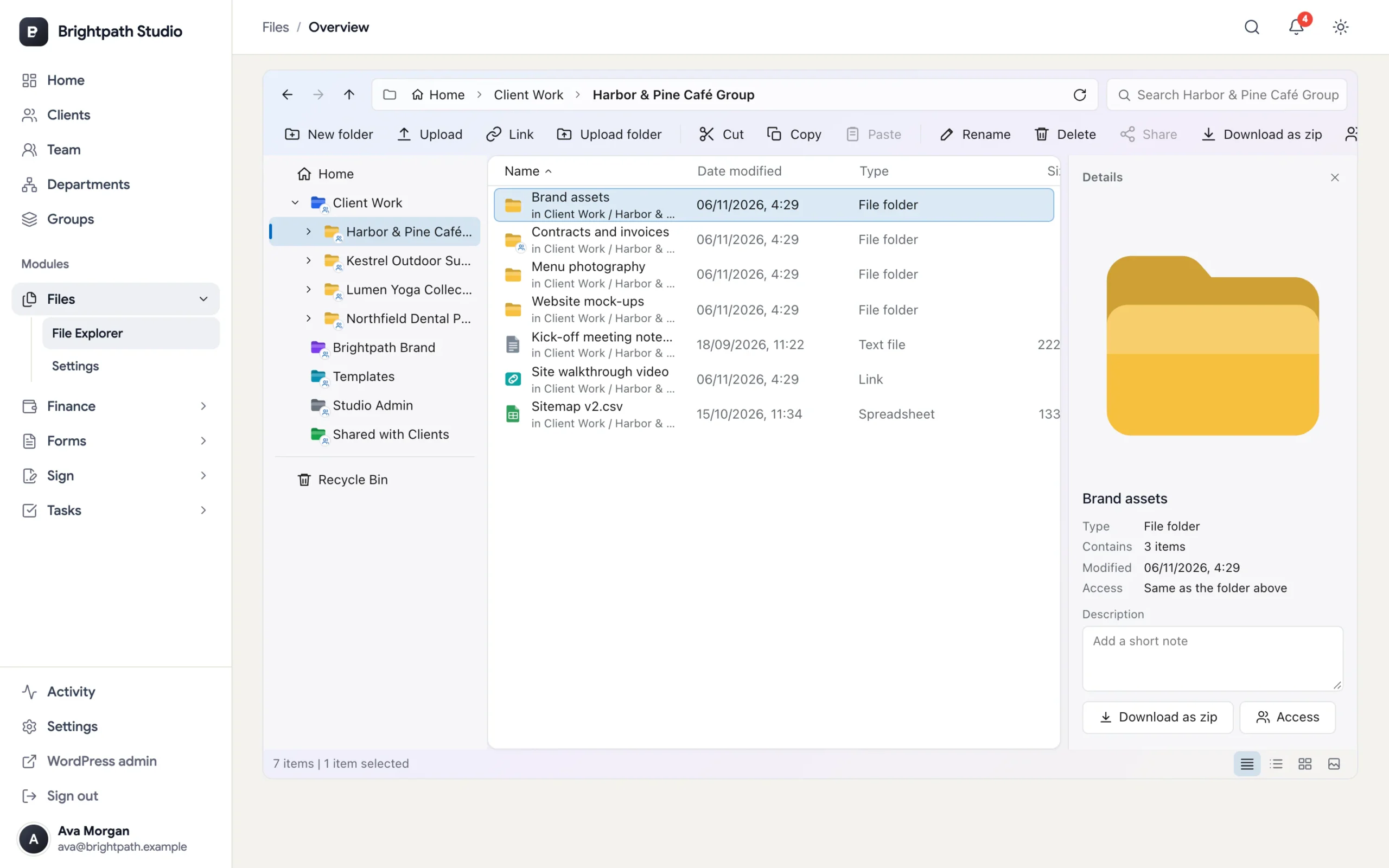
The file library: The explorer-style library: a folder tree on the left, one client's folders in the list and a details pane, with a folder open for Harbor & Pine Café Group.

WPFlat Files needs WPFlat Core.

WPFlat Files is a module for WPFlat Core, the free, open-source plugin that holds your clients, team, client portal and settings. Install WPFlat Core first, then WPFlat Files. Core is what gives WPFlat Files its people, its login and its look; the module adds the files and folders.

Files your team and clients can find.

Works like File Explorer

Folders, previews and a recycle bin in an interface people already know, in six themes.

Access per folder

Decide who can open each folder, for individual people and for groups.

Share links and versions

Share a file with a link, and keep earlier versions so nothing is lost by mistake.

Your files, in a window everyone knows.

See what a file is before you open it

PDFs, images, audio, video and text preview in the app, with size, version, location, description and tags in the details pane.
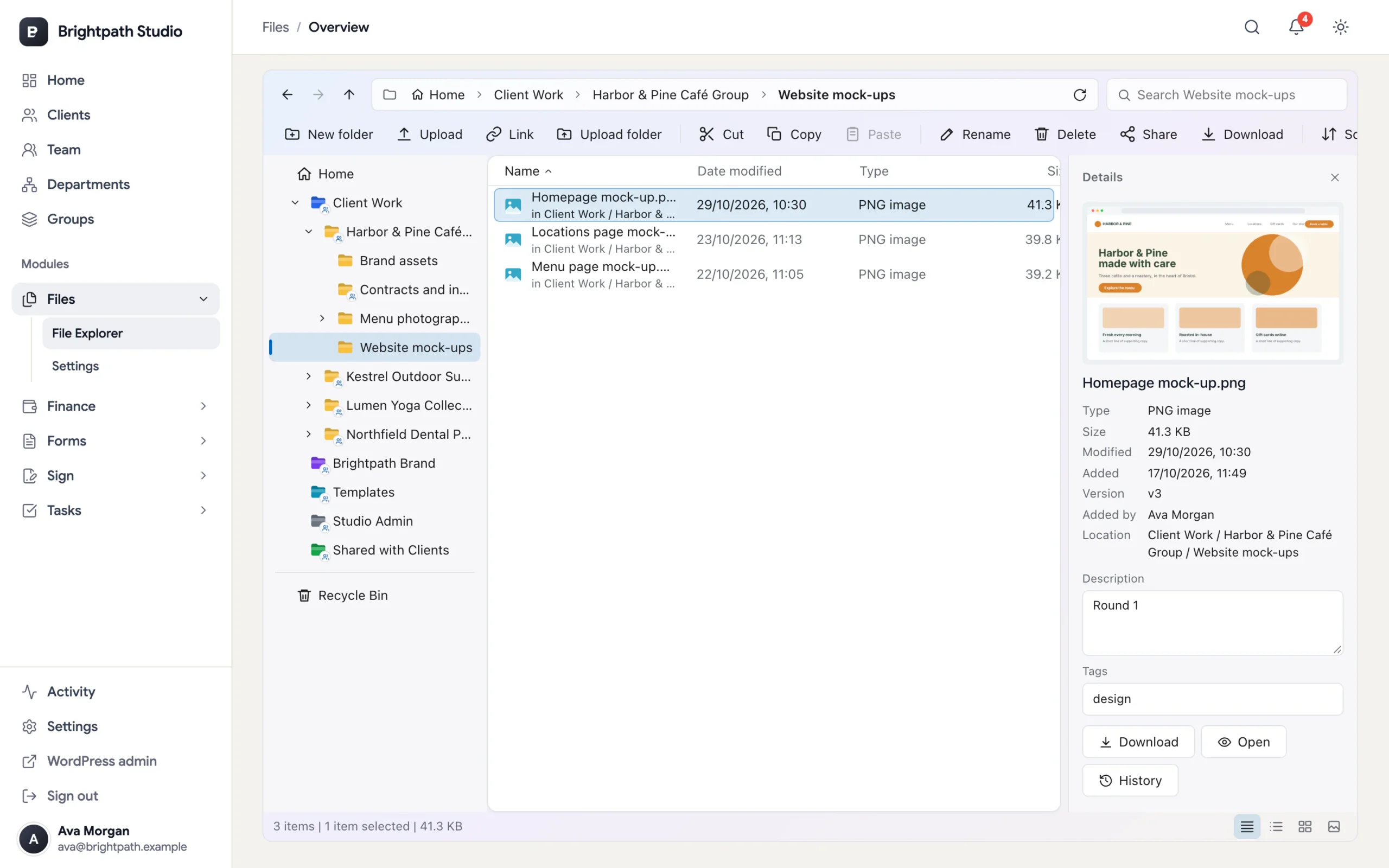
Preview and details: A design mock-up selected in its folder: a live preview, size, version, location, description and tags in the details pane.

Share a file with someone who has no login

Create a link that expires, with an optional password and download limit. Revoke it at any time and see how often it was downloaded.
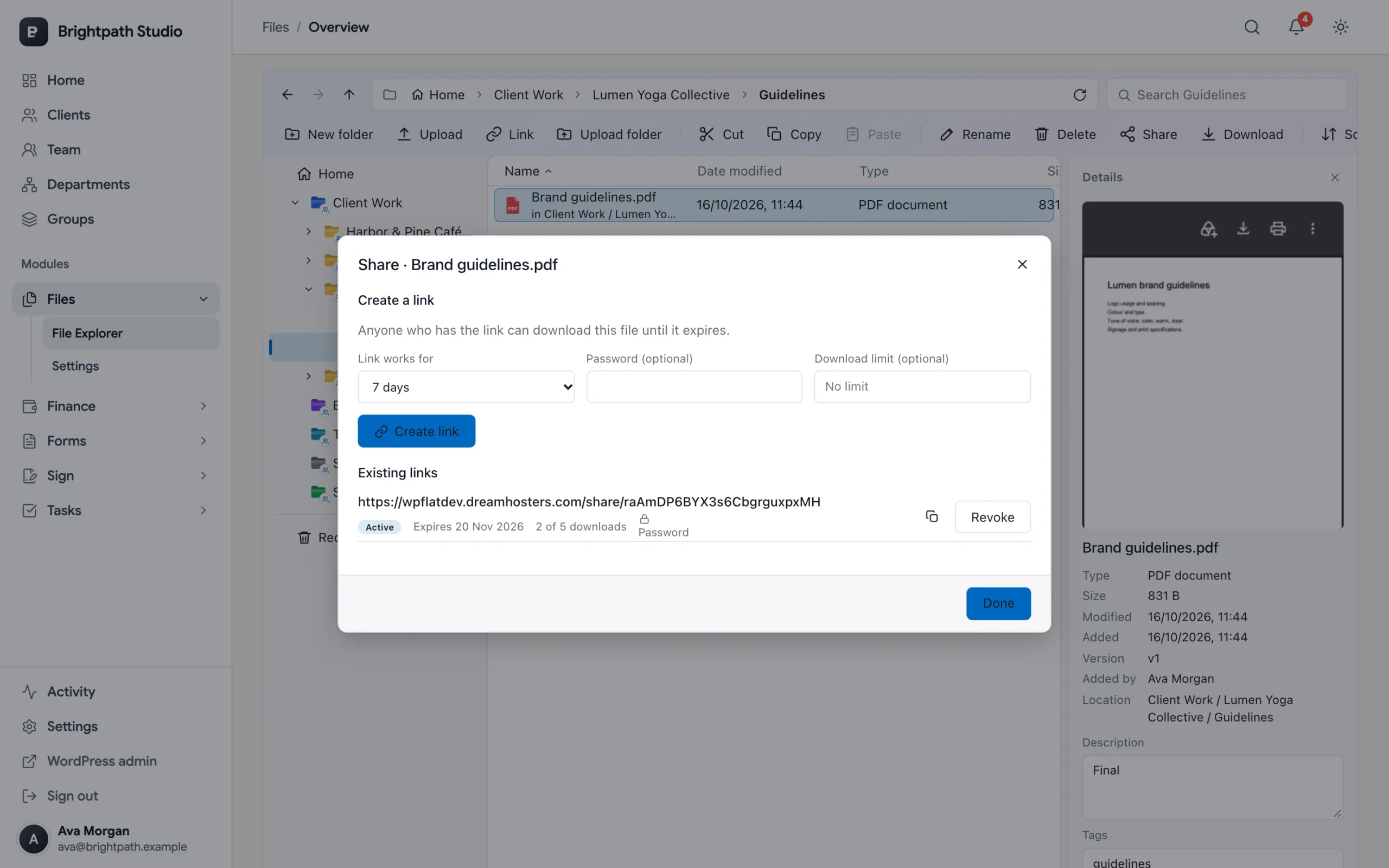
Share link: The share dialog for a PDF: an existing link protected with a password, an expiry date and a download limit, and the form to create another.

Replace a file without losing the old one

Upload a new version with a note, see who uploaded each one and when, and restore an earlier version.
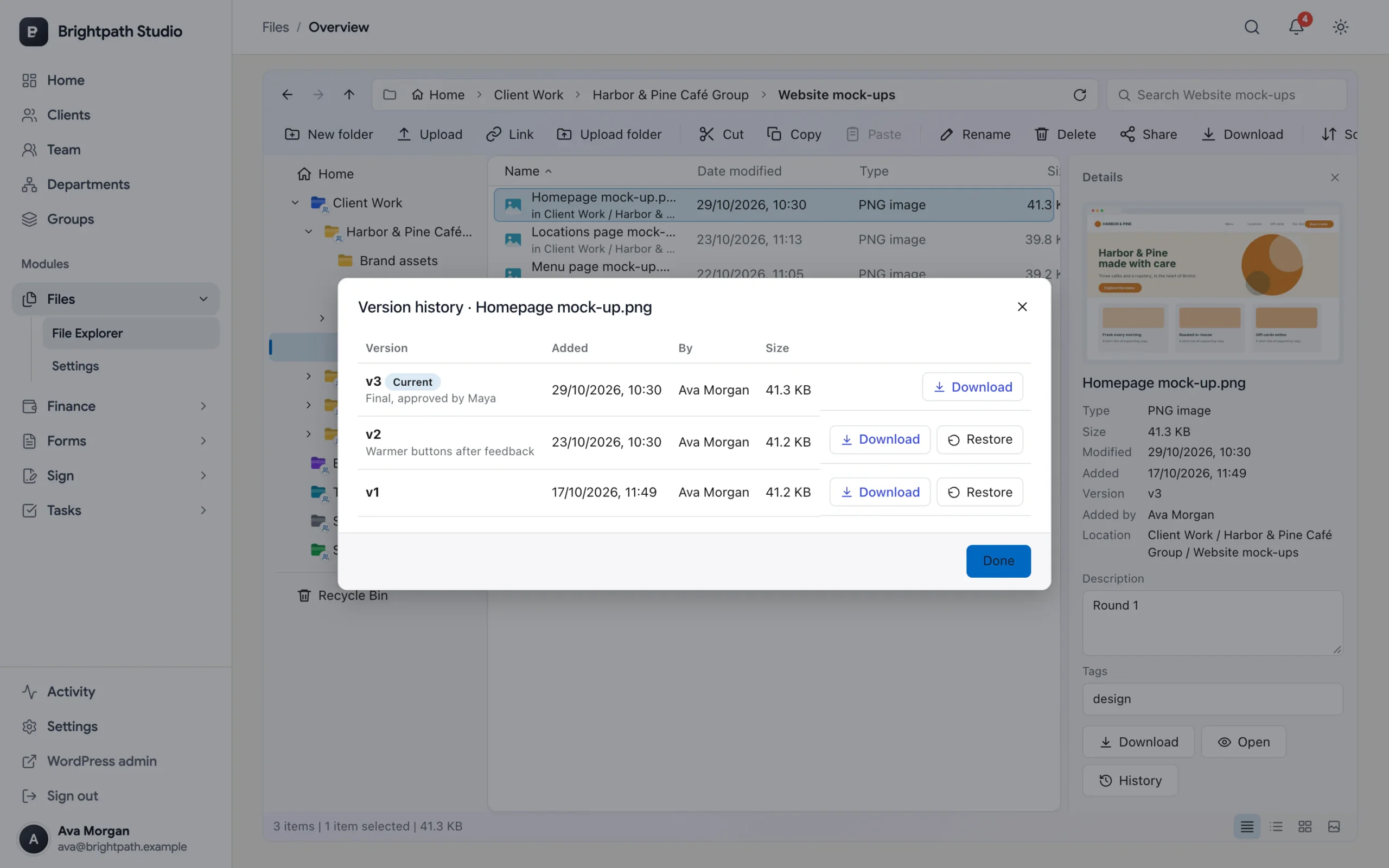
Version history: The version history of a file with three versions, each with who uploaded it, when, and a note, and a way to restore an earlier one.

Decide who sees each folder

Give the team, a group or one client a level of view, upload, edit or manage, per folder. A person only sees the folders they have access to.
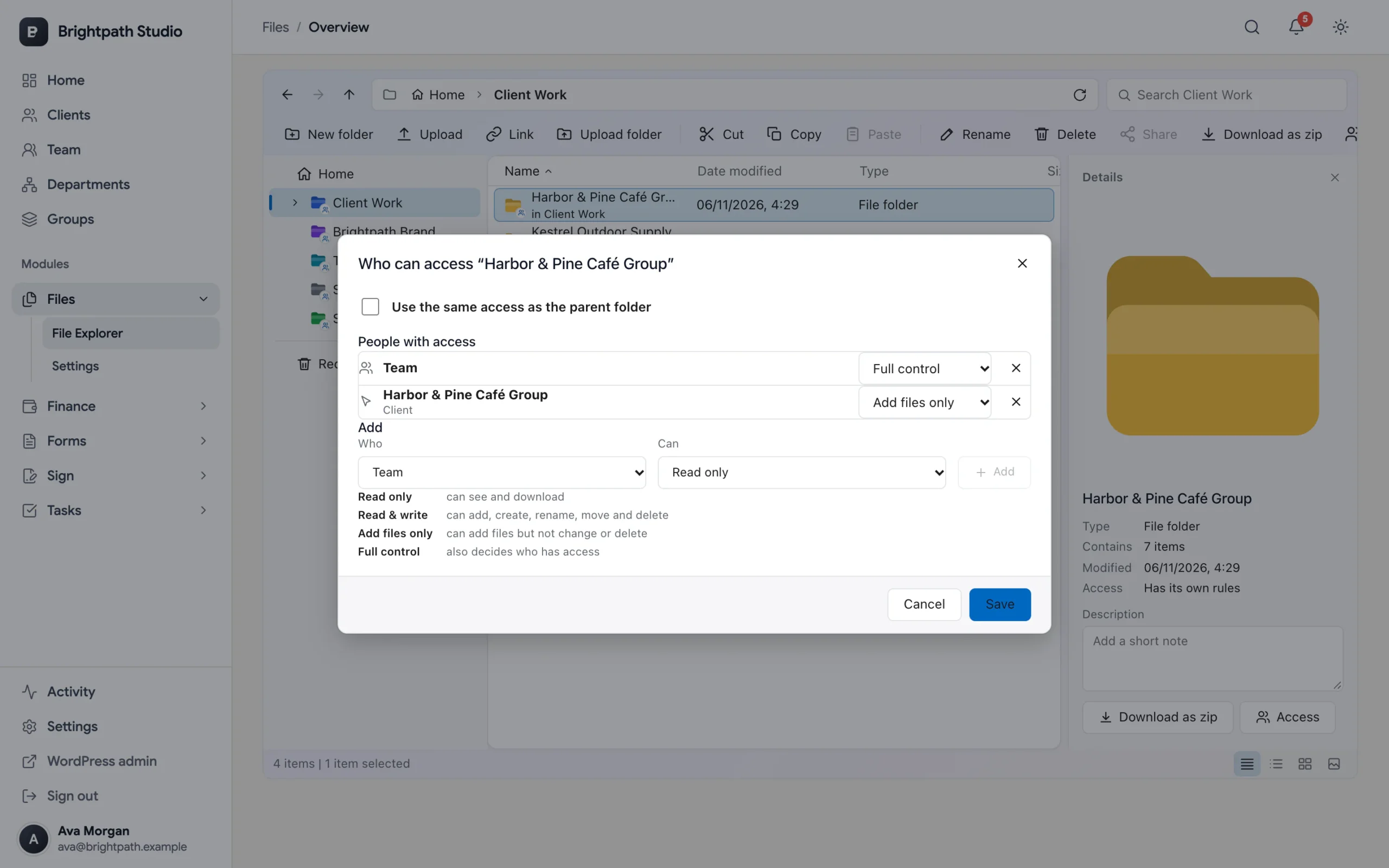
Who can access a folder: The folder access dialog for a client folder: the team, the client's own login and groups, each with their own level (view, upload, edit, manage).

The full feature list.

The explorer

  • A folder tree, breadcrumbs, command bar, details pane and status bar
  • Details, list, tiles and large-icon views
  • Six themes, including Windows 11, Finder and Classroom
  • Right-click menus, keyboard shortcuts and search within a folder
  • Previews for PDFs, images, audio, video and text

Files and sharing

  • Upload files and whole folders, in chunks so large files survive hosting limits
  • Version history with notes and restore
  • Share links with expiry, password and download limit
  • A recycle bin that empties after a number of days you set
  • Links to externally hosted video, including YouTube, Vimeo and Loom
  • Download a whole folder as a zip

Who can see what

  • Access per folder for the team, a group or one client
  • Levels: view, upload, edit and manage
  • Hidden folders never appear in the tree, lists or search
  • Ready-made roles for admins, managers, contributors and viewers
  • The same explorer in the app, the client portal and a front-end page

What it does not do

  • No online editing of documents or spreadsheets. Files are previewed, downloaded or replaced with a new version.
  • No virus scanning of uploads.
  • Files are stored on your server’s own disk. There is no cloud storage connection.
  • Previews cover common image, PDF, audio, video and text types. Other types download.
  • SVG and web-page files cannot be uploaded.

Install it yourself, or let us do it.

Option 1 · Free

Download from GitHub and install it

No sign-up, no licence key and no limits. It runs on your own WordPress site.

  1. Install and activate WPFlat Core first (download).
  2. Download wpflatfiles.zip from GitHub with the button below.
  3. In WordPress go to Plugins, Add New, Upload Plugin, choose the zip and activate it.
  4. Open WPFlat Files in the WPFlat app and follow the first-run steps.
Option 2 · Hosted by WPFlat

Let WPFlat install and configure it

Would rather not run it yourself? Tell us what your team needs and we will set it all up and look after it.

  • Installing WPFlat Core and WPFlat Files on your WordPress site, or on a site we host for you
  • Setting up your company, team, branding and the words you use
  • Bringing in your existing data where we can
  • A walkthrough for your team
  • Hosting, updates, backups and support, if you want them

Before you download.

Can a client see only their own folder?

Yes. Give the client’s login a level on that folder only, and other folders stay hidden from them.

Can I send a file to someone without a login?

Yes. Create a share link with an expiry, and optionally a password and a download limit.

How do I replace a file without losing the old one?

Use “Upload new version” from the file’s right-click menu. The old version stays in the history and can be restored.

Where are the files kept?

In a protected folder on your own server. Direct web access is closed, and files are served only after WPFlat checks who is asking.

Can WPFlat set up WPFlat Files for me?

Yes. We can install it, configure it for your team, bring in your data, host it and look after it. Ask on the contact page and tell us what you need.

Is WPFlat Files really free?

Yes. It is open source under the GPL, with no paid tier, licence key or user limit. You pay only for your own WordPress hosting and domain, or for our help if you ask for it.

Give your files one home.

Download WPFlat Files, add it next to WPFlat Core and set up your first folder.